
If you wish to book out a meeting room:
- Select New Meeting from your Outlook calendar
- Once you have entered the time for your meeting, you can search for an available room using the Room Finder feature on the right hand side.
- Select your location from the Building dropdown list to see available rooms for your meeting time in your area, and click an available room to add it to the booking.
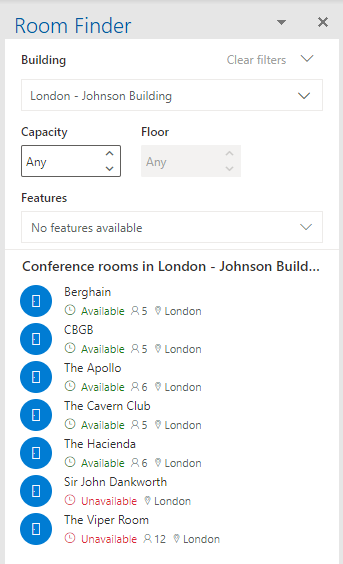
- Once added, continue to add other attendees as normal before sending
- Once you hit Send, this will book the room out for you automatically and you will receive an email from the room stating this ahs been accepted
Comments
0 comments
Article is closed for comments.