
To export the blacked and safe senders list in Outlook:
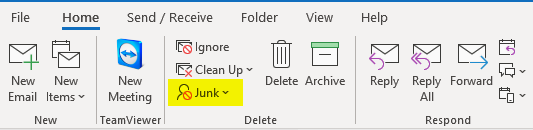
- In Outlook, click on the Home tab, then the Junk dropdown, and finally Junk Email Options.
- Click on the tab Safe Senders and if you have any entries listed there, click on the Export to File button.
- A save file popup will appear. Navigate to a location in your OneDrive to save the file to and give the file the name Safe Senders.
- Repeat the same process for the tabs Safe Recipients and Blocked Senders if you have any entries in there as well.
Comments
0 comments
Article is closed for comments.