
GlobalProtect is our 'Always-on' VPN service which helps to protect both your computer and our network services from malware or misuse.
If you are not currently connected you should be as it is a mandatory security requirement for all company devices.
On your Mac, look in the tool bar at the top of the screen for GlobalProtect or press cmd + space to search for it.
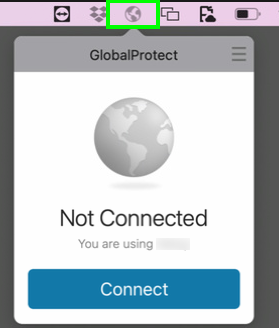
The application will pop out, click Connect and enter your O365 credentials in the login window. This will happen each time you sign into the Mac and you must complete the login.
If you are prompted for the portal address, enter access.audionetwork.com
If you cannot find the application on your Mac please contact the support team and will help get it installed.
Comments
0 comments
Article is closed for comments.